
What Happened When Friends House-Sat My Smart Home for Three Weeks

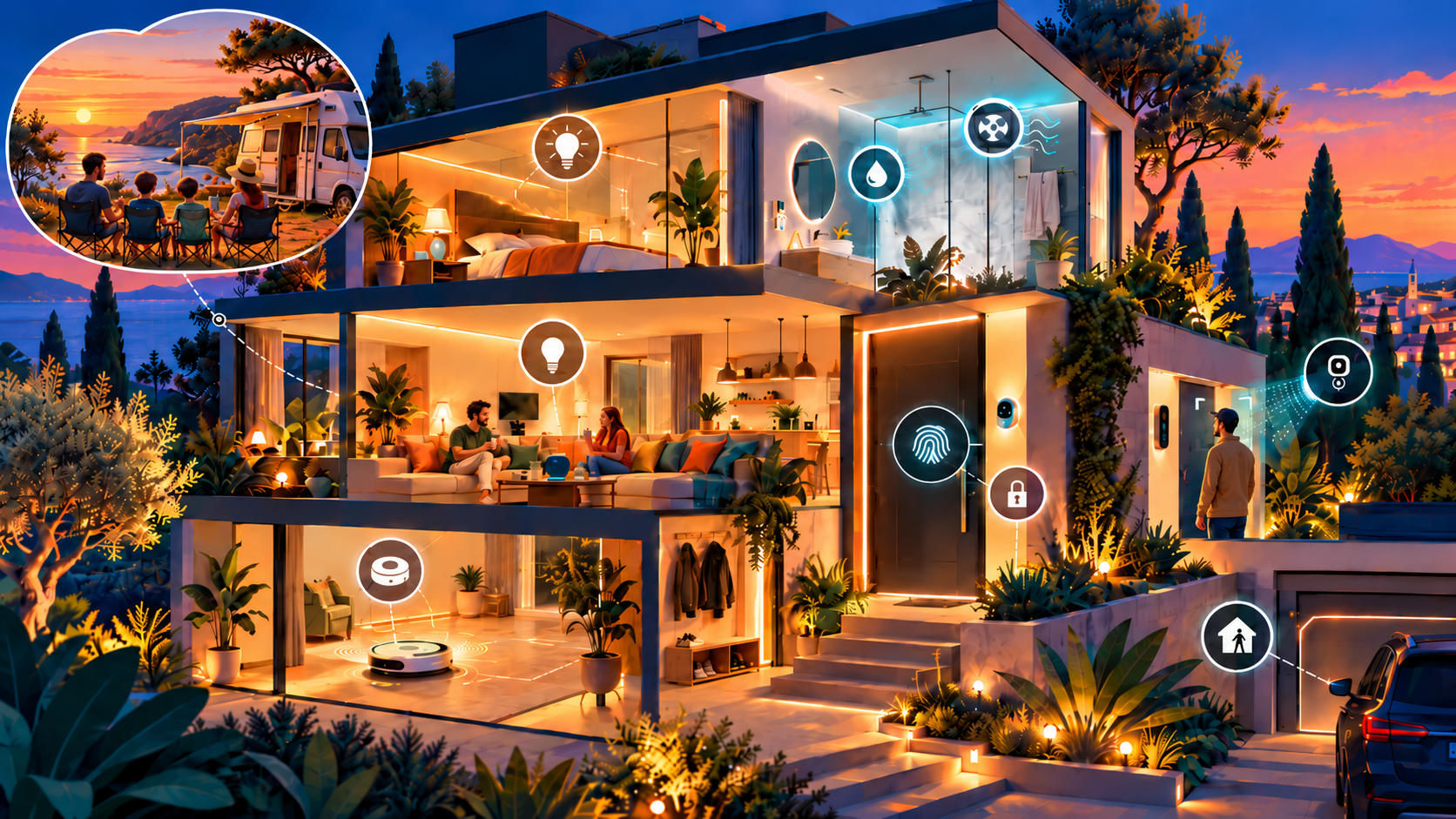
One of the easiest ways to convince yourself that your smart home is intuitive is to live in it for years. You know what happens automatically, what the house expects from you, and where the edge cases are.
Then you leave for three weeks and let somebody else live there.
While we were away on holiday, friends stayed in our home. I deliberately asked them not to install any smart home apps. No Home Assistant Companion App, no dashboard, no accounts and no instructions for operating the house.
The house needed to adapt to them.
That turned this into a much better test than I expected. Some automations became instant favourites, while others exposed assumptions I'd unknowingly built around the way my family lives.
A bit of context about the house
Some of the automations in this article will probably sound excessive in a smaller home. In ours, they solve practical problems created by having many separate spaces spread across three levels.
The ground floor contains our main living areas, a playroom, guest room, laundry room, garage, home office and lab. Upstairs are three bedrooms and several bathrooms, while the basement contains a cinema, man cave and technical/server room.
That layout is why knowing not just whether somebody is home, but where in the house they are, is useful.
We currently use 26 presence sensors providing 56 actively used occupancy signals. Several use radar-based zones to distinguish between parts of a room, such as the kitchen island, dining table, stairs or play areas. Those signals are combined with temperature, humidity and light-level readings to drive lighting, blinds, ventilation, climate and other automations.
The scale also explains a few choices that might otherwise seem unnecessary. We have a robot vacuum on each floor because carrying one between three levels would defeat much of the convenience. Room-aware notifications matter because somebody could be working in the office, sleeping upstairs in a bedroom or watching a film in the basement.
More than 500 Home Assistant entities are actively involved in automations, scenes and reusable scripts, but the objective isn't complexity for its own sake. Most of it exists behind the scenes so the house becomes easier to live in.
The principle scales better than the hardware does: automate the problems your home actually has.
Their favourite automations
After three weeks, these were the ten automations our friends loved most. Some were obvious conveniences, others were things they only really appreciated after living with them for a while, but together they gave the clearest picture of what made the house feel genuinely smart to someone who hadn't built it.
1. Lighting that follows you rather than switches
Every space uses mmWave presence sensors with zone support and lux sensing. The lights don't simply switch on when someone enters.
As daylight fades, lighting gradually increases so the house never suddenly becomes dark after sunset. When a room becomes unoccupied, the lights dim rather than immediately disappearing. Walk back in and they gently return to the appropriate brightness.
I haven't used a wall switch to control lights in years.
That sounds like a small thing, but living in a house where every room always seems to have the right amount of light feels surprisingly luxurious. Our guests noticed it almost immediately.
And once light switches no longer need to control lights, they become useful interfaces for other things.
A triple press on any light switch tells Home Assistant which room was selected, determines which floor it's on and summons the robot vacuum for that floor to clean that specific area.
A double press cycles through the blind scenes for manual control. We almost exclusively use that when cleaning windows because the automatic blind control rarely needs overriding.
The interesting part is that the user interaction stays simple even when the automation behind it isn't.
2. Blinds that follow the light, sometimes a little too well
Our blinds automatically open and close based primarily on outdoor light intensity. One reason is comfort, but another is heat management. When strong direct sunlight hits the kitchen, the blinds close automatically to stop the room from heating up too much.
Most of the time this works exactly as intended. Our guests did find one annoying edge case, though.
Sometimes they actually wanted to enjoy the sun and manually opened the blinds using the double-press shortcut on a light switch. The problem was that opening the blinds immediately increased the measured lux level. The automation saw the extra sunlight and promptly closed them again.
So the system was technically doing exactly what it was supposed to do, just not what the person in the room wanted at that moment.
The obvious improvement is to treat a manual adjustment as an override. If someone deliberately opens or closes the blinds, the lux-based automation should temporarily back off before taking control again.
It is a small change, but a useful lesson: automation should usually make the decision, but when someone explicitly overrides it, the house should know when to get out of the way.
3. Vacuum and mop robots on every floor
We have a vacuum and mop robot on every floor, with automatic water hookups.
There is no filling the clean-water tank, emptying dirty mop water or carrying robots between floors. They simply keep the floors clean.
This was one of the most appreciated features. If something needs an extra clean, the triple-tap light-switch shortcut dispatches the correct robot to that room.
In a smaller home, one robot might be more than enough. Here, one per floor makes the system genuinely hands-off.
4. Fingerprints instead of guest keys
Fingerprint sensors combined with electronic locks make access simple without sacrificing security.
Our house sitters didn't need physical keys, PIN codes or an app. Once their fingerprints were enrolled, they could unlock the relevant doors with a touch.
The electronic locks also tie into the wider home-state automations. When everyone leaves, or when the house switches into its nighttime lockdown mode, the doors are automatically locked.
That combination worked especially well for guests because access stayed simple while the security logic remained automatic in the background.
There was nothing extra for them to remember, and no separate locking routine to follow.
5. The house announces visitors before they ring
Our exterior security cameras detect people approaching the house. That detection triggers notifications in the rooms that are currently occupied.
In many cases, our guests heard that someone was at the front door before the person had pressed the doorbell.
If the television is being watched, the camera feed also appears on screen, so you can immediately decide whether you need to get up.
The cameras know somebody is approaching, the mmWave sensors know where the occupants are, and the media system knows whether somebody is watching TV. Home Assistant ties that context together.
This is one of the places where having a larger, multi-level home makes room-aware automation especially useful. There is little point announcing something in the kitchen if everyone is in the cinema.
6. Bathrooms that manage humidity themselves
When bathroom humidity rises in a way that indicates someone is showering, mirror heating and ventilation automatically activate.
They don't switch off after an arbitrary timer. They continue until humidity has returned to normal.
Our guests particularly appreciated not having to think about ventilation or dealing with a fogged mirror.
It is a good example of an automation that is simple from the user's perspective because the complexity is hidden.
7. The toilet knows when to ventilate a little harder
Yes, the toilet is automated too.
Ventilation runs during occupancy, but if someone remains in the room beyond a certain threshold, Home Assistant assumes the visit may require some additional extraction and adjusts the ventilation accordingly, including a longer period afterwards.
This got the expected laughs.
It also got the slightly reluctant admission that it makes perfect sense once you've experienced it.
8. Mailbox notifications
Our mailbox is outside the house and we don't receive much physical post, making regular mailbox checks mostly pointless.
Instead, the house announces when mail arrives. If someone subsequently returns home while the mailbox is still full, they're reminded that something is waiting.
Our guests loved this because you only have to think about the mailbox when there's actually something to collect.
It is exactly the kind of automation I like most: small, practical and almost invisible.
9. Personalized welcome-home announcements
This was another unexpected favourite.
When someone comes home, the house can identify them using the fingerprint reader at the door together with facial recognition from the exterior cameras.
It then generates a personalized welcome-home announcement. I use AI to rewrite the message and Fish Audio to convert it to speech, so the greeting is different every time.
The guests loved this, but their feedback was interesting: they wanted to answer it.
Once the house talks to you naturally and addresses you personally, the immediate expectation is that you should be able to talk back.
I'm not there yet. Adding microphones throughout the house is a privacy line I'm currently not ready to cross.
10. Washing machine and dryer announcements
When the washing machine or dryer finishes, the house announces it.
No repeatedly checking the remaining time and no load of washing sitting forgotten in the machine for hours.
It was a surprisingly big hit, and a good reminder that useful automation doesn't have to be complicated.
The interesting problem: detecting guests without an app
My decision not to have our guests install the Home Assistant Companion App created one significant challenge.
Our normal home, away and sleep detection makes heavy use of our phones.
For example, after 22:00, if both my wife's phone and mine are charging and Home Assistant's BLE tracking places both phones in the bedroom, the house assumes we've gone to bed and activates our lockdown mode.
For our guests, those Companion App sensors didn't exist.
I needed to reproduce enough of that context without installing anything on their phones.
Using UniFi to determine where their phones were
The answer came from the Wi-Fi network itself.
I used the UniFi device tracker entities in Home Assistant to see which access point each guest's phone was associated with. By looking at the AP MAC address, I could infer which area of the house the phone was in.
Because the access points cover different parts of the house, this turned out to be surprisingly accurate.
I didn't need precise positioning. I just needed enough confidence to know that, after a certain time, both phones were associated with the access point covering the bedroom area.
That was enough to trigger the nighttime logic.
Sometimes you don't need another sensor. You can get the context you need by using infrastructure you already have differently.
What broke: detecting away status
For basic home and away detection, I initially used Home Assistant's ICMP Ping integration.
I created DHCP reservations for both phones so they would consistently receive the same IP address when connected to our Wi-Fi, giving the ICMP integration a predictable address to monitor.
At first, I used the default five-minute timeout before considering a device away.
That turned out to be too aggressive.
Their phones would occasionally stop responding to ICMP even though they were still home. My suspicion is some kind of Wi-Fi or power-saving behaviour, although I never conclusively determined the cause.
I later switched home and away detection to the UniFi device tracker entities as well. They appeared faster and more reliable because Home Assistant could use the network controller's own view of whether a device was connected rather than relying purely on ping responses.
Even with UniFi, however, the five-minute timeout was a little too eager.
Changing it to ten minutes made the setup dependable. Short Wi-Fi interruptions stopped causing false away states while genuinely leaving the house still resulted in a reliable transition.
UniFi effectively gave me two useful signals from the same phones: whether they were home, and roughly which part of the house they were in.
The other thing that broke: our bathroom blinds
The house-sitting experiment uncovered another automation that had worked perfectly for years, mostly because we'd never put it in the situation where it could fail.
The blinds in our master bathroom automatically open in the morning when both of our phones are removed from their chargers.
For us, that was a useful signal. If both phones have come off charge in the morning, we've probably woken up.
What I hadn't included was any check that those phones were actually at home.
While we were on holiday, we were waking up at completely different times. Our phones would come off their chargers wherever we happened to be staying, Home Assistant would see the state change remotely, and the master bathroom blinds back home would dutifully open at seemingly random times for our house sitters.
We'd never had other people staying in our bedroom before, so the missing condition had never mattered.
The fix was simple: the automation now also checks the location of our phones before responding to their charging state.
It's a perfect example of an automation that wasn't technically broken. It was doing exactly what I'd told it to do. I'd simply never defined the context properly.
What surprised me most
Our guests' favourite features weren't dashboards or remote controls.
They didn't have either.
They appreciated automations that removed small decisions and chores from everyday life. And interestingly, the moment the house started communicating in a more human way, they wanted a conversational interface in return.
That creates a completely different set of questions around microphones, privacy and how much listening infrastructure I'm prepared to put inside the home.
For now, that's a boundary I'm happy to keep.
The failures taught me more than the successes
The problems exposed the same weakness in different ways.
With presence detection, I'd effectively assumed:
"phone isn't responding" = "person isn't home."
With the bathroom blinds:
"our phones came off charge" = "we've woken up at home."
And with the kitchen blinds:
"high lux" = "the occupants want the blinds closed."
None of those assumptions were always true.
Moving from ICMP to UniFi improved the presence signal, increasing the timeout made it more tolerant, adding location awareness fixed the bathroom blind logic, and a temporary manual override should make the kitchen blinds less stubborn.
But the broader lesson is more useful than any individual fix:
Sensors don't give you reality. They give you observations from which you infer reality.
The more context an automation has, the better that inference becomes.
What I learned from three weeks of house sitters
The experiment changed the question I ask when building automations.
Instead of only asking "Does this work?", I'm increasingly asking:
"Does this work for somebody who doesn't know how it works?"
And perhaps more importantly:
"Can they live here without installing anything?"
Our friends spent three weeks surrounded by Home Assistant automations without needing Home Assistant themselves. They didn't need a dashboard, an account or an understanding of any of the infrastructure behind the house.
They just lived in it.
A few things needed adapting, and putting different people into the house revealed assumptions I'd never had a reason to question before.
Ultimately, the goal was never to make the technology noticeable. It was to make the home more comfortable.